
Set your withdrawal PIN
Change or Reset Your PIN Code
Before you can make withdrawals, you need to set a 4-digit PIN code. You can update your MeSomb PIN from your account security page. If you forgot your PIN, you can reset it securely with an OTP flow.
Before You Start
- Keep your phone or OTP channel available.
- Make sure you are logged in to your account.
- Your PIN must be 4 digits.
How to Set or Update PIN
Step 1: Open Security Settings
- Go to Account Security.
- Find the Financial Account section.
- Click Set/Update PIN Code.
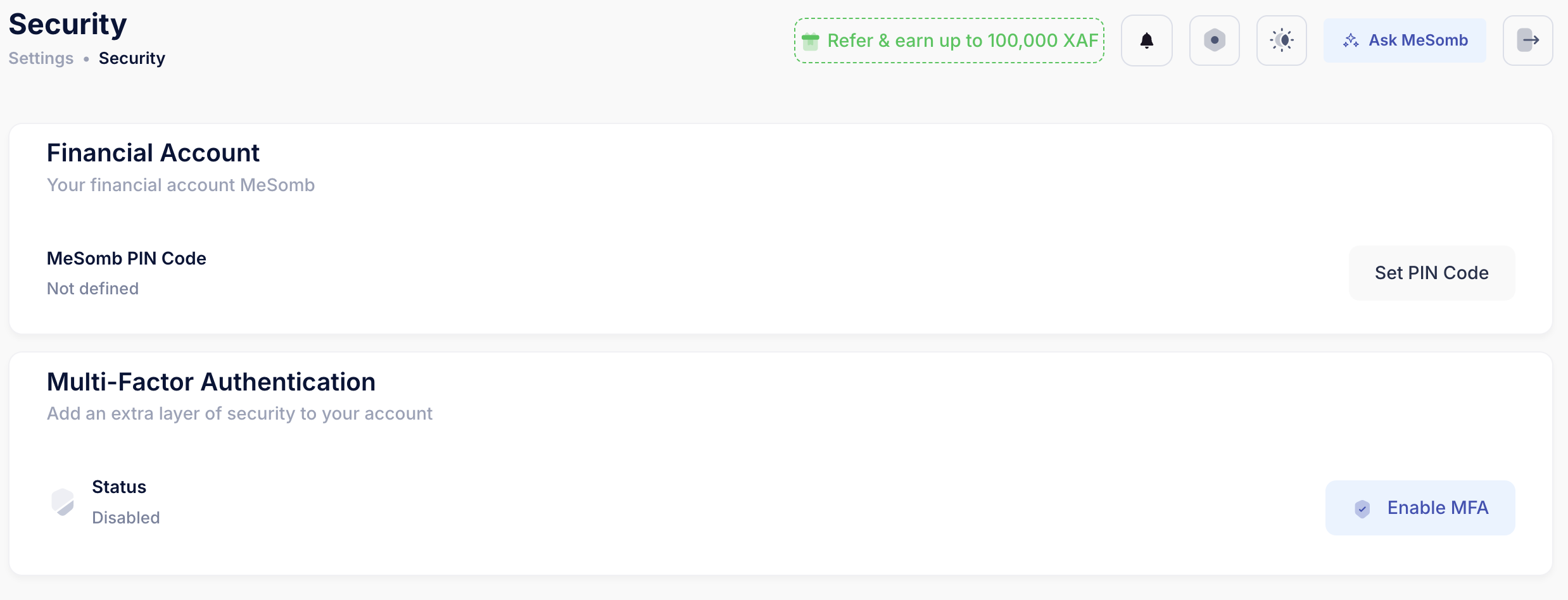
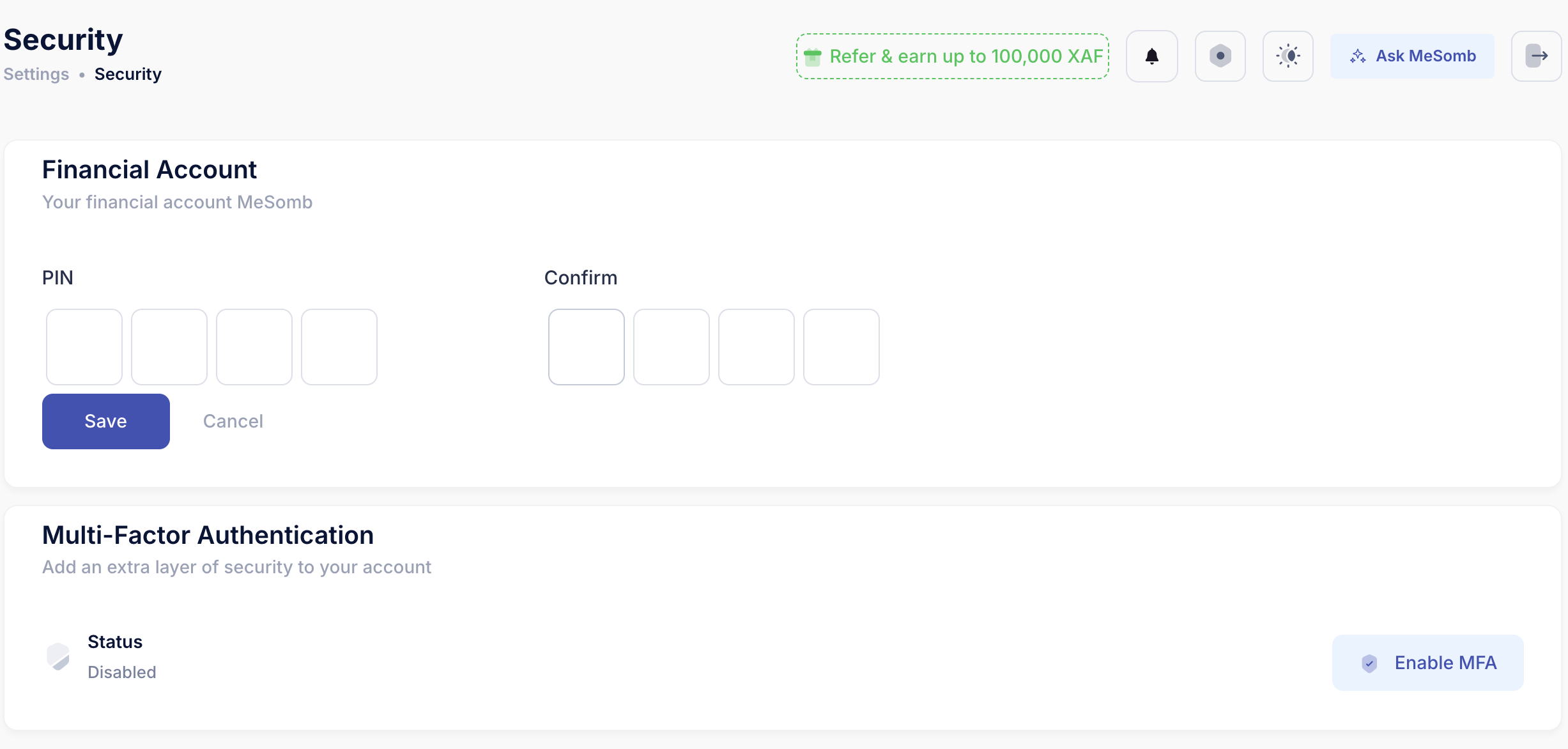
Step 2: Enter PIN details
- Enter your current PIN.
- Enter your new 4-digit PIN.
- Confirm the new PIN.
- Click Save.
Important Notes
- PIN must contain exactly 4 digits.
- Confirm PIN must match the new PIN.
- If OTP is invalid or expired, retry with a valid code.
- You can cancel the reset flow and restart if needed.