
Reset your withdrawal PIN
When to reset your PIN
- You forgot the current PIN.
- You suspect someone else knows it.
- A teammate with access left the business.
- You entered too many incorrect attempts.
- Support asked you to rotate the PIN for security.
PIN reset flow
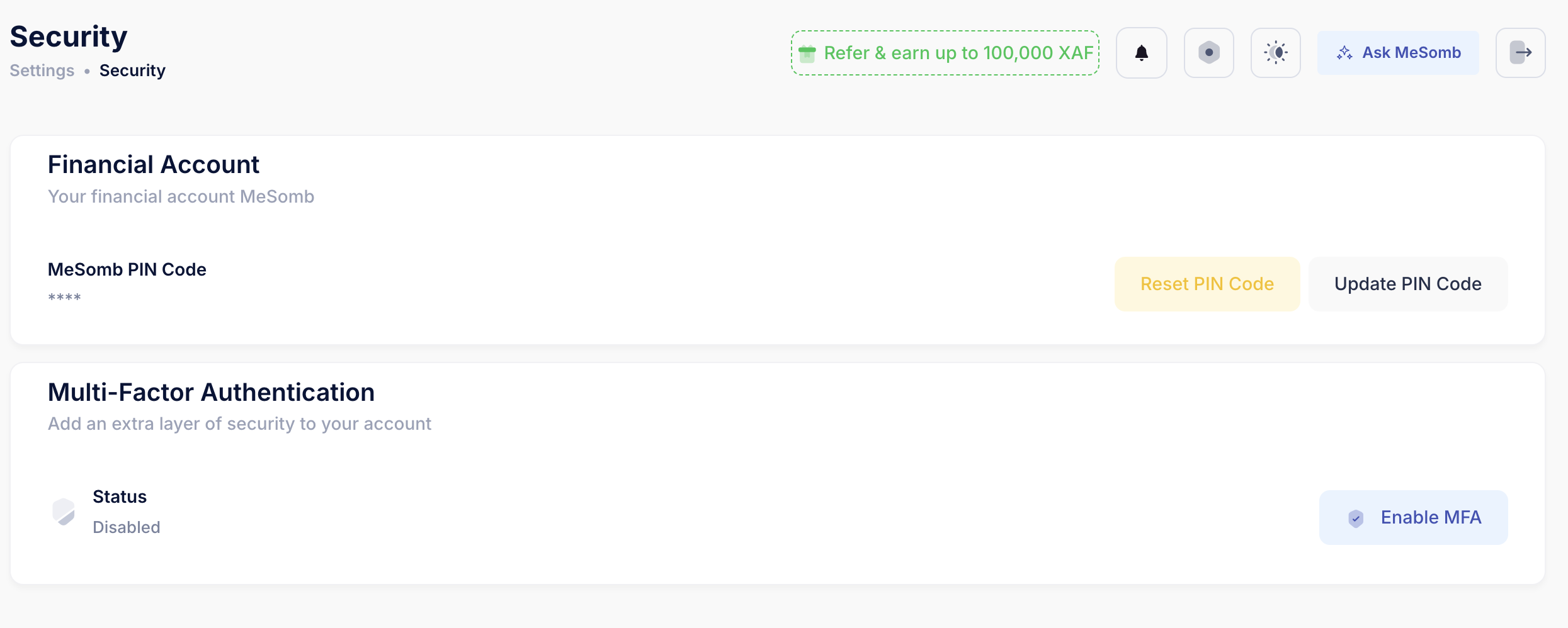
Step 1: Start reset
- In the same Financial Account section, click Reset PIN Code.
- MeSomb starts a secure reset request.
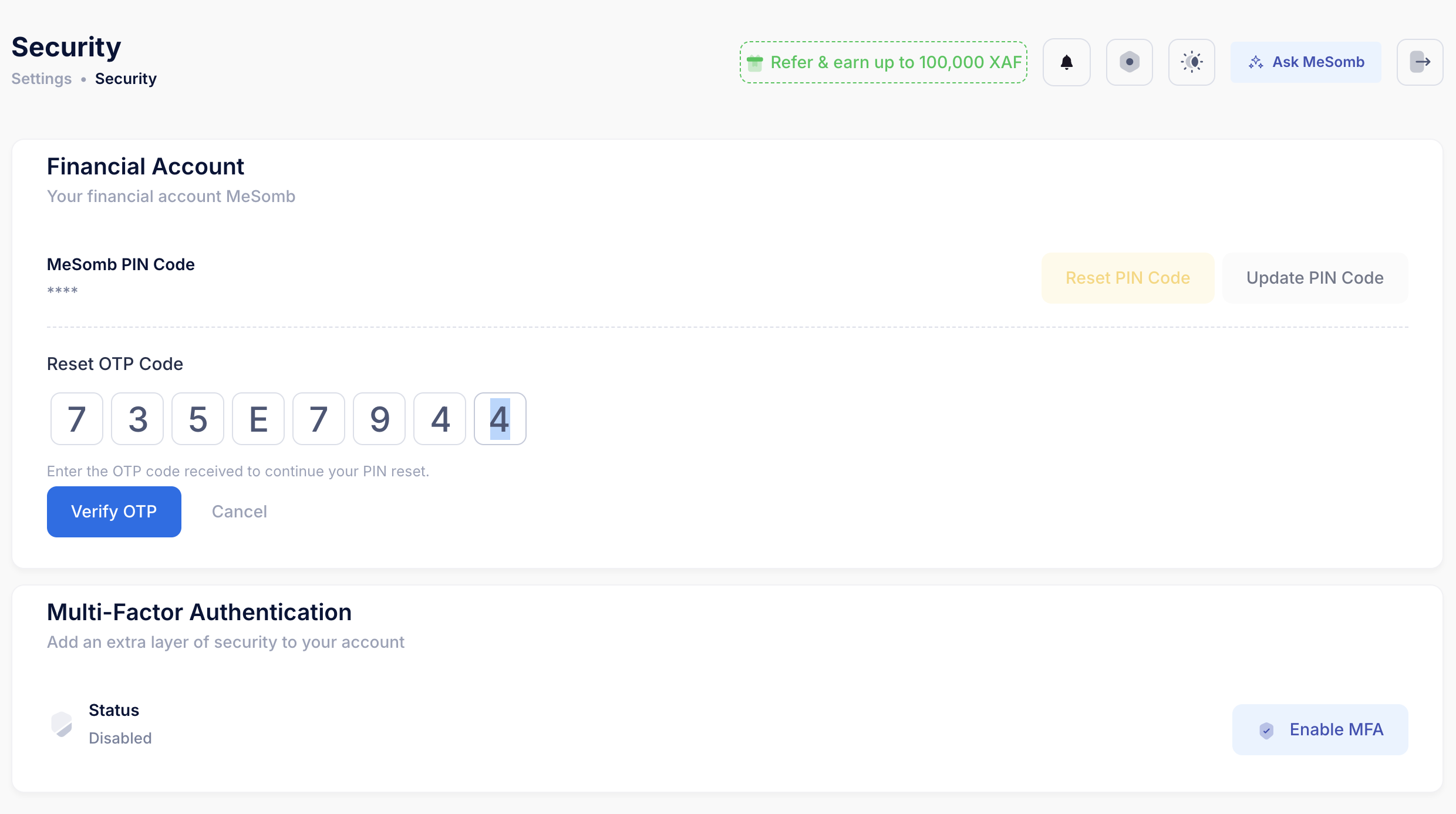
Step 2: Verify OTP code
- Enter the 8-character OTP code you received.
- Click Verify OTP.
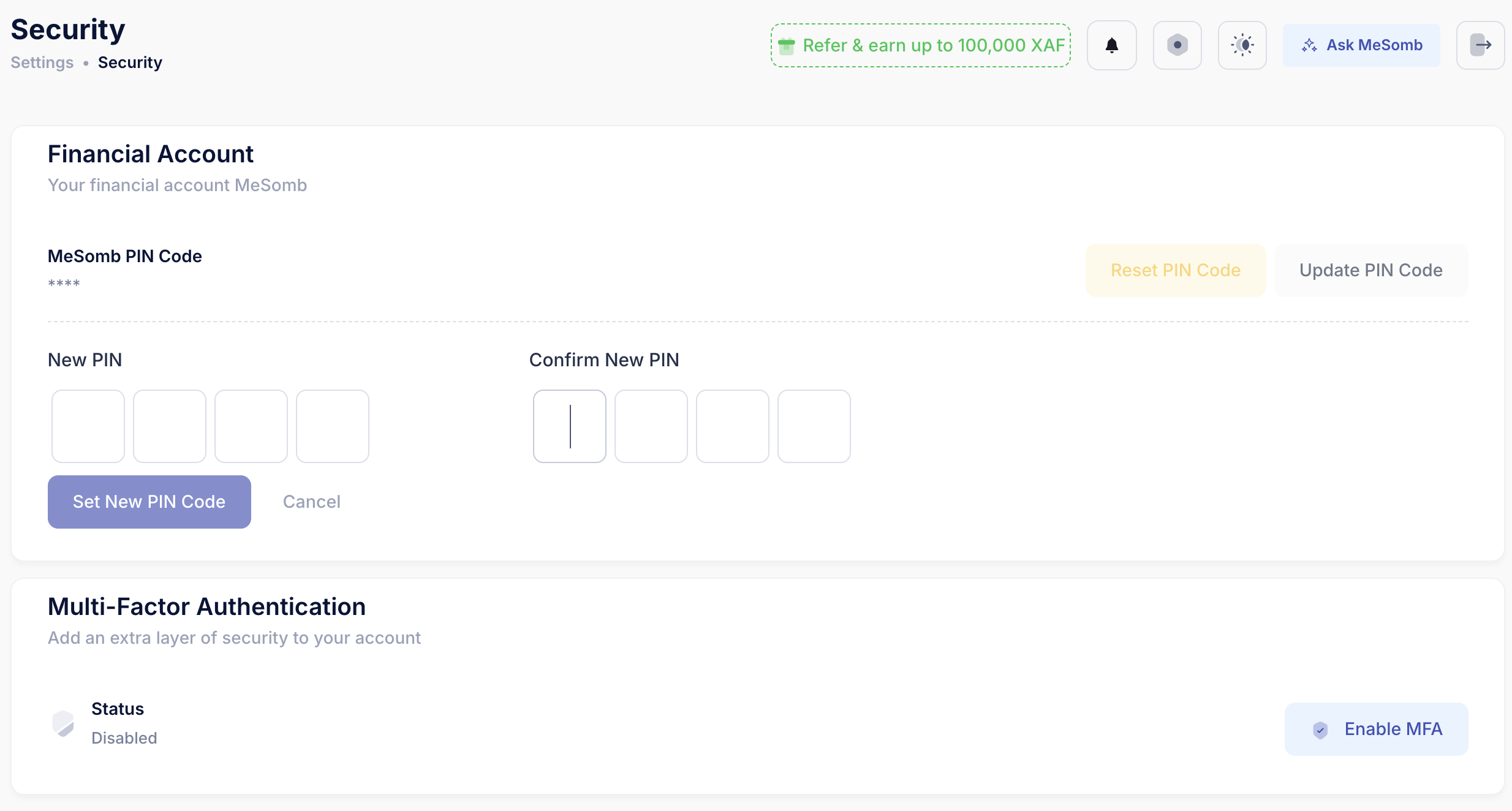
Step 3: Set a new PIN
- Enter a new 4-digit PIN.
- Confirm the same PIN.
- Click Set New PIN Code.
After success, your PIN is updated and ready to use.