
Make a withdrawal
Before you withdraw
- Confirm available balance.
- Review fees.
- Check the withdrawal account.
- Confirm the amount.
- Enter your withdrawal PIN.
- Keep the transaction reference.
Withdrawal flow
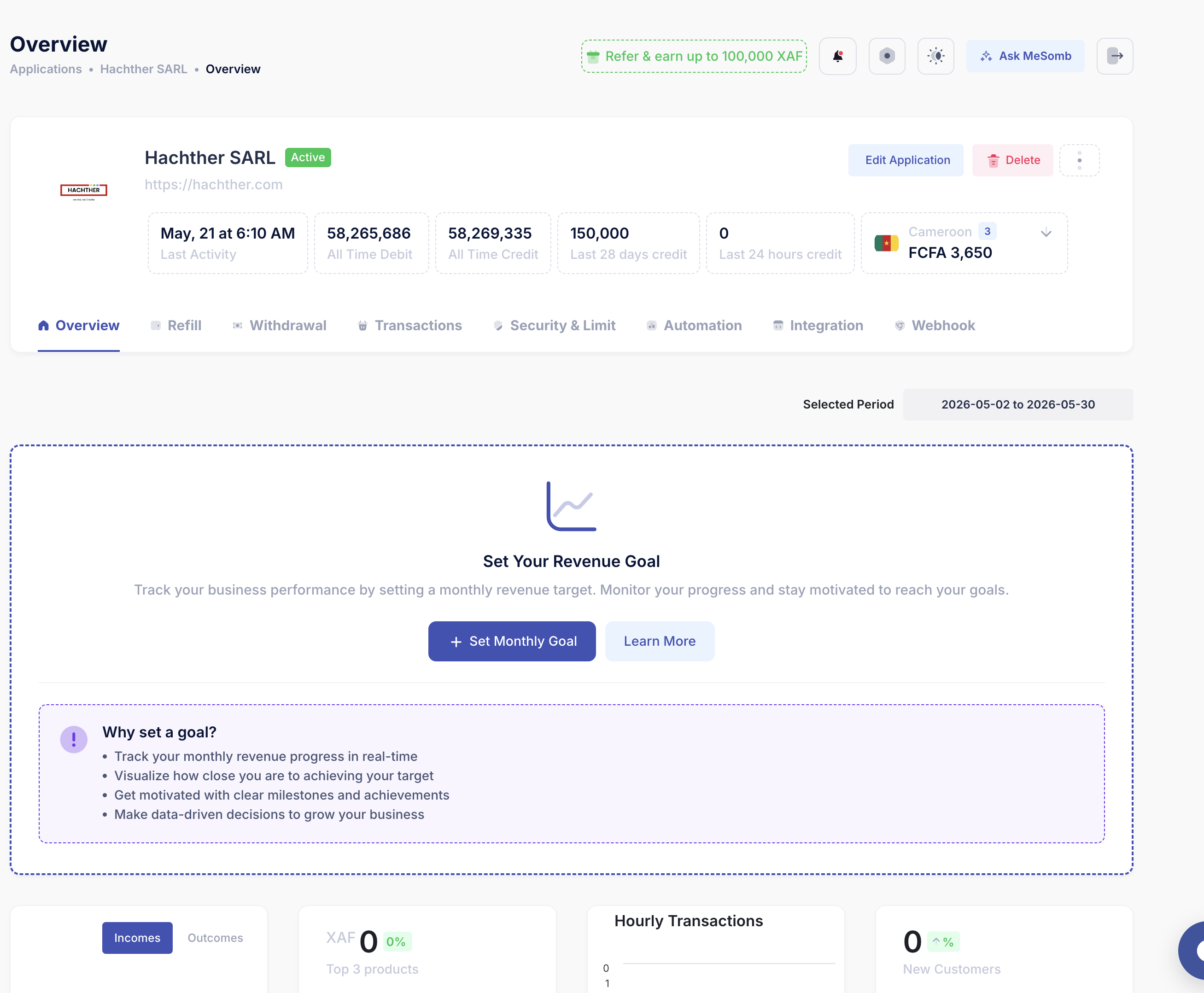
Step 1: Choose the service/application from which you want to make the withdrawal.
- Go to the list of your applications.
- Select the application you want to withdraw from.
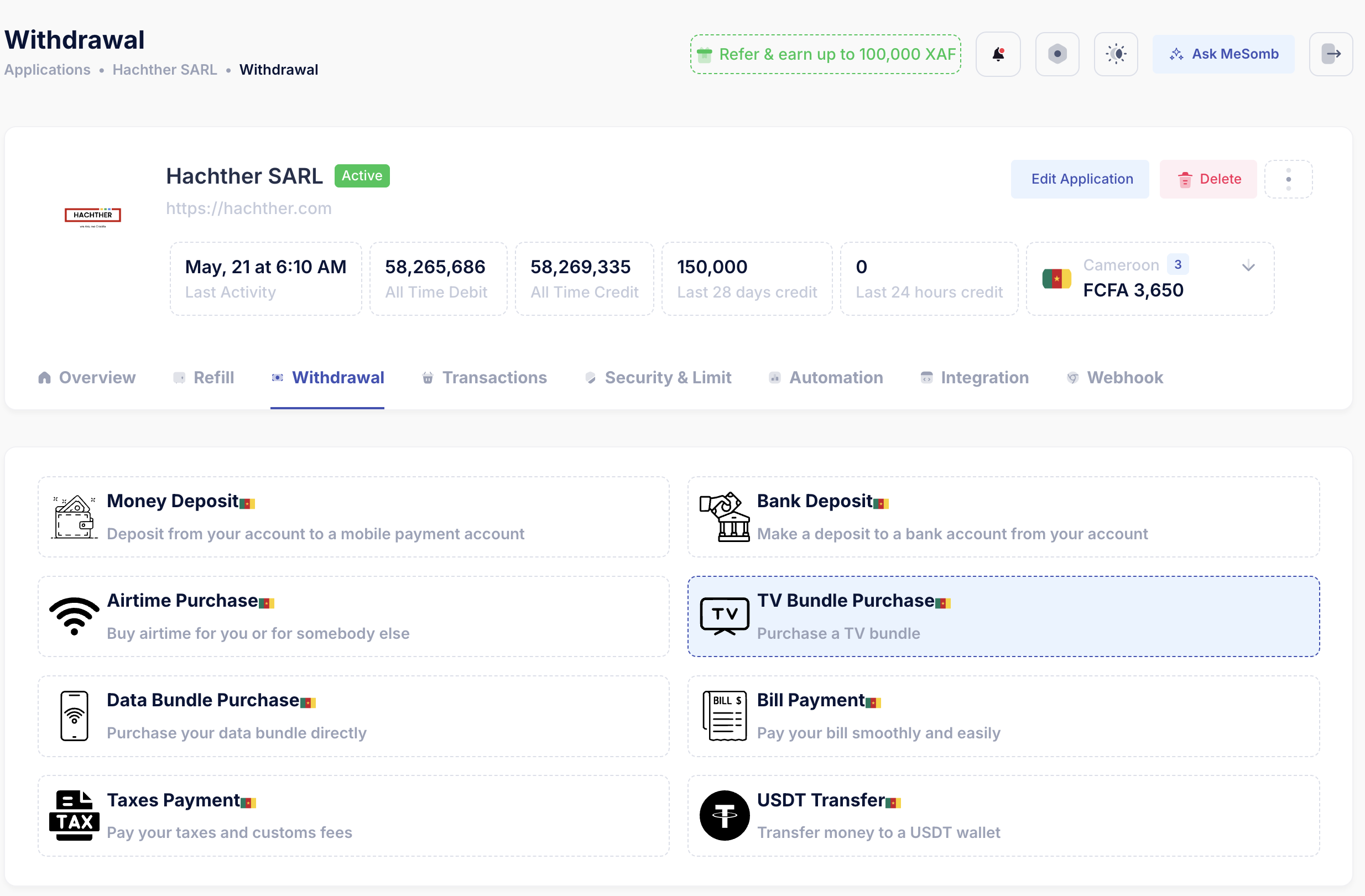
Step 2: Choose the withdrawal method.
You can perform different types of withdrawals: money deposit, bank transfer, airtime and bundle purchase, and tax and bill payment. The available methods depend on your country and account configuration.
- Go to the Withdrawal tab of your application.
- Choose the withdrawal method that suits your needs.
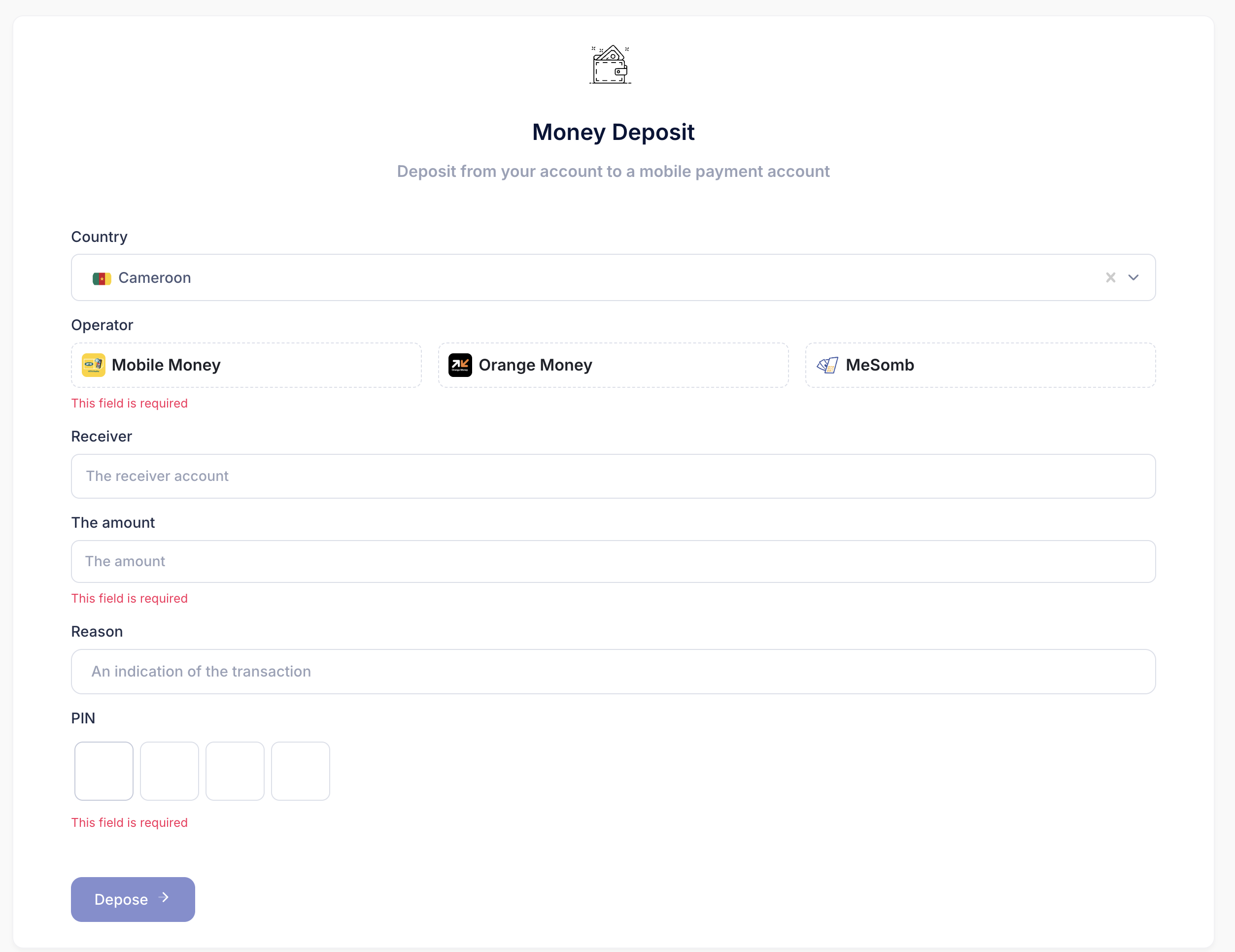
Step 3: Fill the form to complete the withdrawal.
Fill the form with the required information and submit it. A confirmation will be asked for your approval, and you will be able to track the withdrawal status until it succeeds or fails.
If a withdrawal fails
Check the status reason, confirm the destination account, verify operator availability, and contact support with the withdrawal reference if the issue is unclear.